
Choose a useful storefront role
Start with questions a shopper could answer from your public website: what a product description says, where you deliver, how returns work, and how to reach the store. Prepare precise sources for those topics before adding the assistant to the storefront.
Keep transaction-specific work with your team. A published delivery policy is different from tracking an individual shipment. A product description is different from a live stock check. Make those boundaries clear in your tests and support process so visitors receive an accurate next step.
Approve product and policy sources together
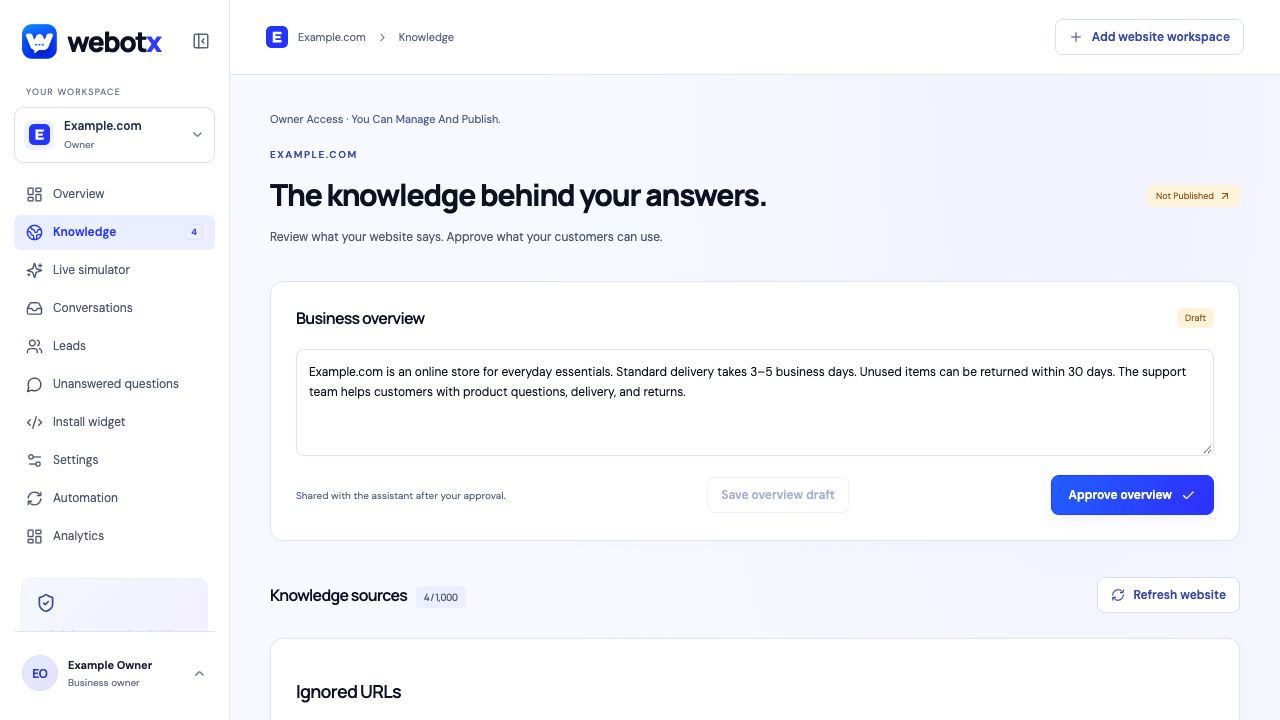
Review the pages WebotX captured rather than assuming an entire catalogue was imported. Include useful product descriptions, product-care instructions, delivery information, and returns policies. Remove outdated campaigns or pages that would give shoppers the wrong terms.
Check product variants, conditions, dates, and exceptions carefully in each summary. Approve only the version you want used for customer replies. After changing a policy or important product detail, review refreshed knowledge and test the affected questions again.
 View full size
Check questions across the shopping journey
These sample prompts demonstrate a test set; they are not claims about a real store or its policies.
| Shopping question | Source or workflow | Check before launch |
|---|---|---|
| What material is this product made from? | Approved product description | The answer refers to the correct product and its published details. |
| Do you deliver outside your local area? | Delivery policy with coverage | Regions and exclusions match the current policy. |
| Can I return a sale item? | Returns policy with exceptions | The response preserves the conditions for discounted items. |
| Where is my order? | Store team follow-up | The assistant does not imply it has looked up a private order. |
Install on the public storefront
Use the platform guide for your store and add the widget once through the shared website layout. Confirm that the workspace script belongs to the correct store and that the final public domain is allowed. Test product and policy pages as well as the homepage.
Check the mobile launcher alongside cart controls, promotional banners, and navigation. Platform limits still apply: a manual script installation is not a native store-data integration, and some hosted checkout areas do not allow custom scripts.
Keep the store team in the loop
Ask for a person during testing and find the same thread in Conversations. Agree who handles order-specific questions and what follow-up details a shopper should provide. Your team can review the conversation before responding instead of asking the visitor to repeat every detail.
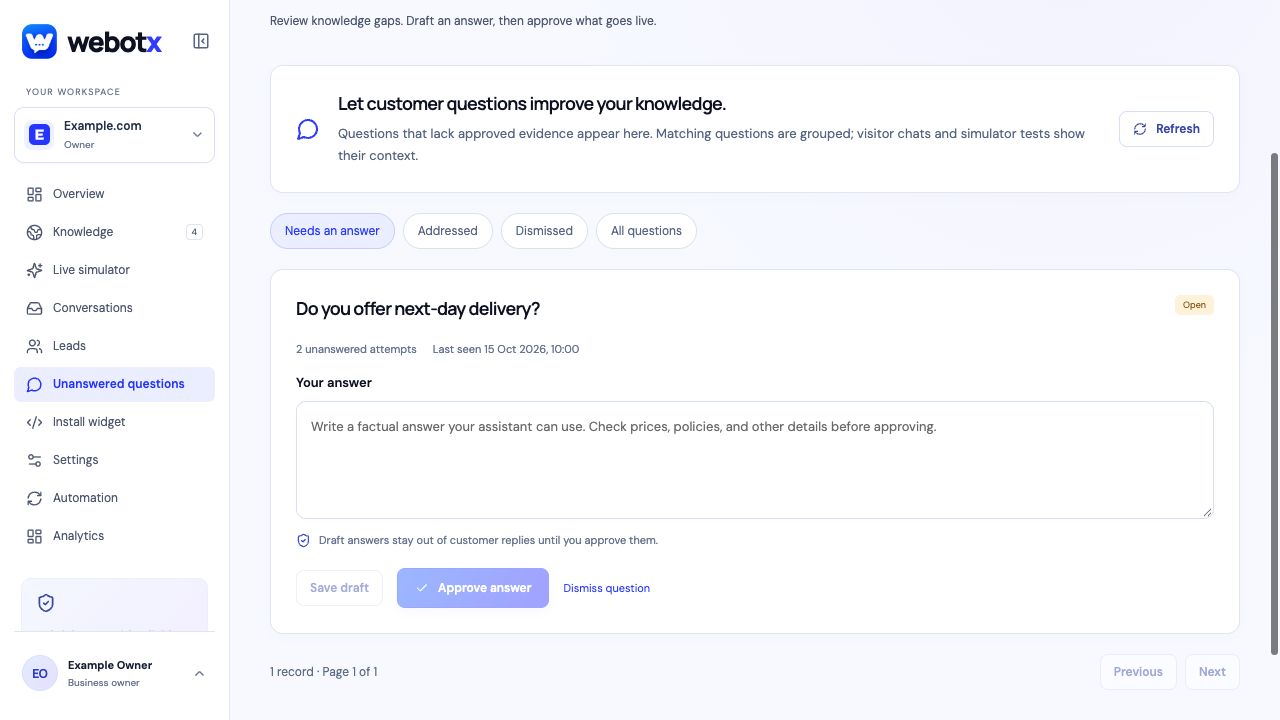
Review unanswered questions after launch. If several shoppers ask about a missing policy, publish or prepare an accurate answer, approve it in WebotX, and repeat the test. Use the questions to improve store information as well as assistant knowledge.
- Review policy sources after each material change.
- Keep private order questions with the store's authorised support process.
- Check conversation quality and handoff follow-up during regular store reviews.
 View full size
Ecommerce: common questions
Can the ecommerce chatbot recommend products?
It can explain product information available in approved knowledge and guide visitors to relevant source pages. Test the actual product questions you expect; the widget installation does not add live catalogue, availability, or recommendation-engine access.
Can WebotX track orders or issue refunds?
The manual website widget does not provide private order tracking or refund actions. Use human handoff and your store's authorised support process for those requests.
How do I keep delivery and returns answers current?
Update the policy source, review refreshed drafts in WebotX, approve the corrected knowledge, and retest questions affected by the change. A website edit does not silently replace the approved source snapshot.