Capture the next step
Collect contact details with permission so your team can follow up. Review the original enquiry alongside the lead instead of starting the conversation again.
Learn about leads webotx
Give visitors a useful first answer, keep control of the information behind it, and bring your team into the conversation when needed.
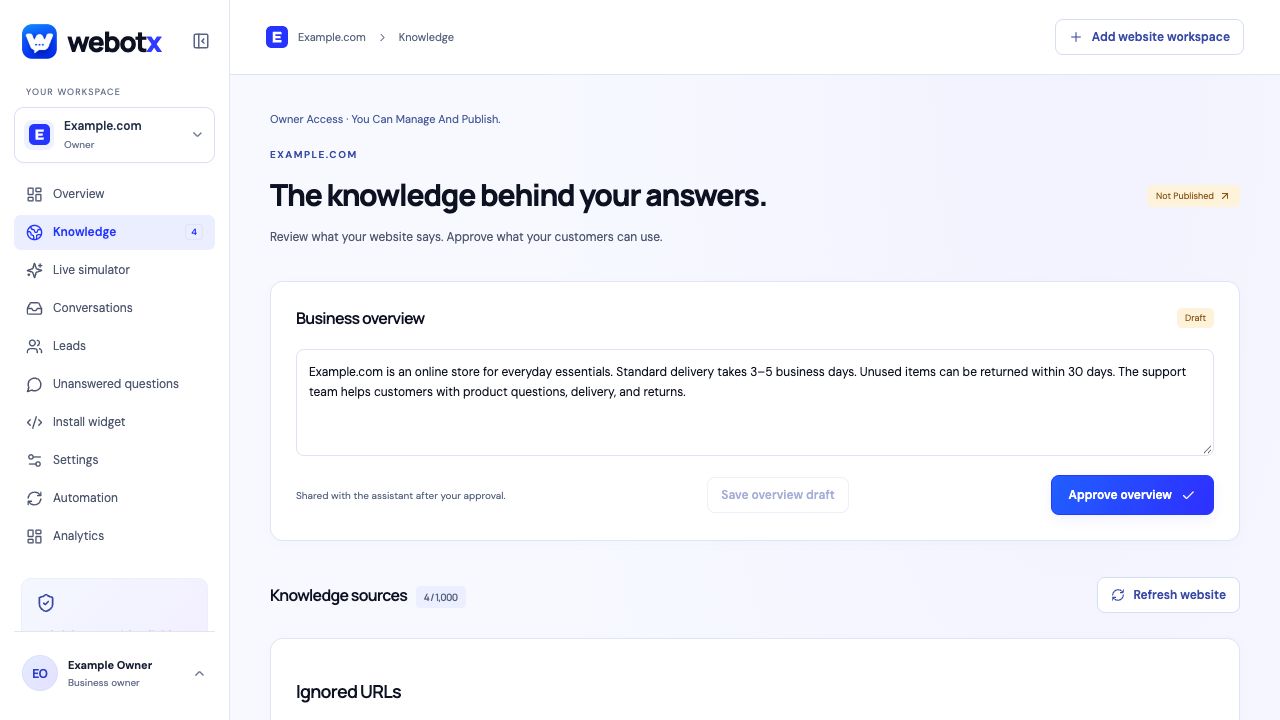
Capture your public website, review the business overview, and choose which pages the assistant can use. Edit drafts before approving them. A website refresh gives you new material to review instead of silently replacing your approved answers.
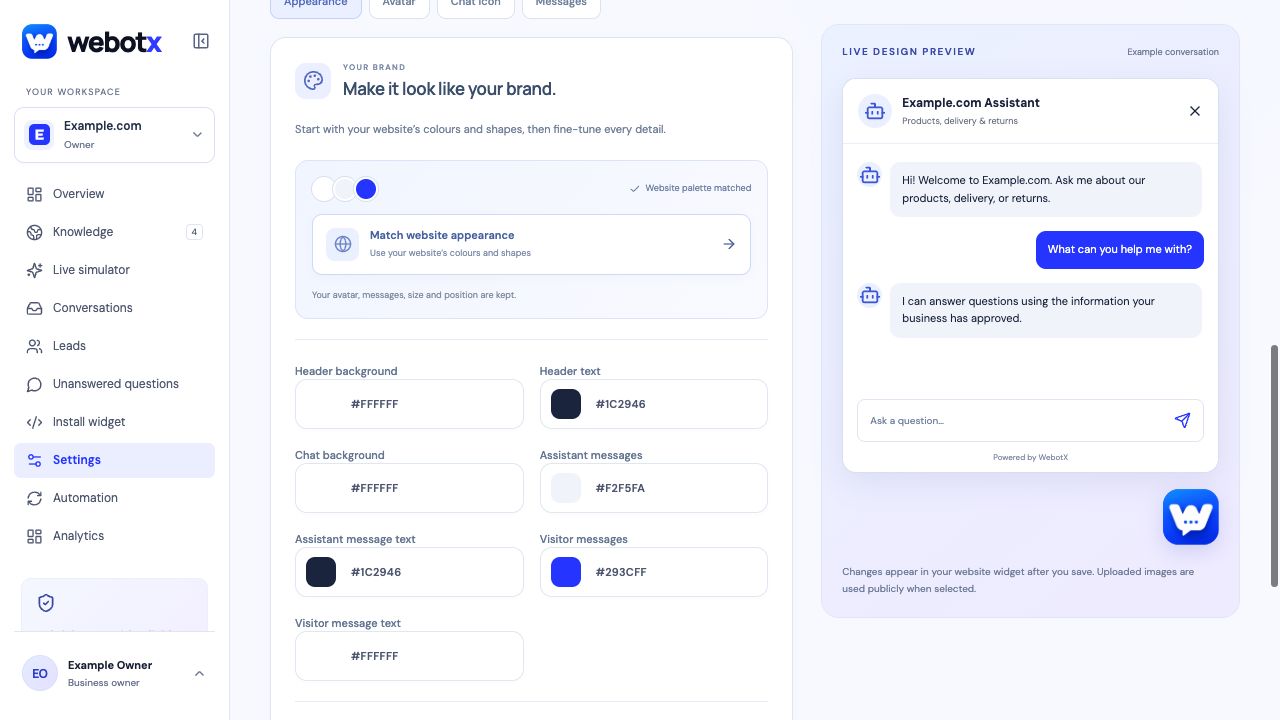
Choose your assistant's greeting, tone, colors, avatar, and suggested questions. Preview the design, test the conversation, then install the widget with a JavaScript snippet on a website that supports custom scripts.
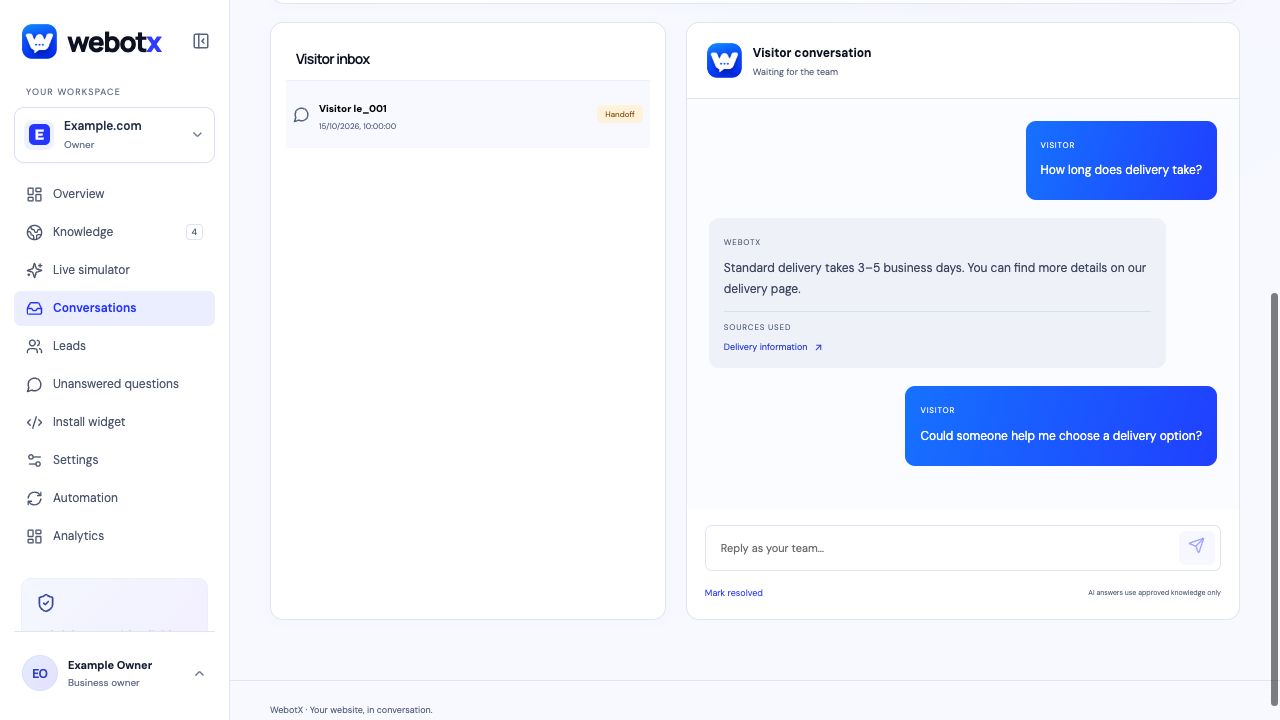
When a visitor asks for a person or approved knowledge cannot answer, the conversation can move to your team. Read the question and earlier messages in the dashboard, reply with context, and resolve the thread when it is complete.
Build a workflow around the conversation, from a new enquiry to better knowledge for the next visitor. Some capabilities depend on your plan.
Collect contact details with permission so your team can follow up. Review the original enquiry alongside the lead instead of starting the conversation again.
Learn about leadsReview the questions your knowledge did not cover. Write a factual draft, review it, and approve it to make that information available for future answers.
Close knowledge gapsKeep knowledge, widget settings, conversations, and assigned people in separate workspaces. Pro and Business support multiple workspaces and shared team seats.
Understand workspaces and rolesStart with the information you already publish. Keep private account requests and decisions that need a person with your team.
Help shoppers find published delivery, returns, and product information. Questions about a specific order need a person unless that information is available to the assistant.
Explain your services, coverage, opening hours, and how to enquire. Give visitors a useful next step using the information you have approved.
Keep each site's answers and conversations separate, assign the right people, and share the account's monthly AI allowance across workspaces.
Try your public website, explore the answers, and decide what to improve before publishing.
Explore the documentation