
Manage your knowledge
Capture, review, approve, and maintain the information behind your assistant's answers.
Screenshots use fictional Example.com workspaces and sample content. Your content and plan may differ.Start with useful public content
WebotX captures eligible public website pages and prepares summaries for review. Useful sources include product descriptions, service pages, pricing, contact details, shipping, returns, and FAQs.
A page behind a login or blocked from automated access may not be captured. Check which pages finished processing instead of assuming the entire website was imported.
Review before approving
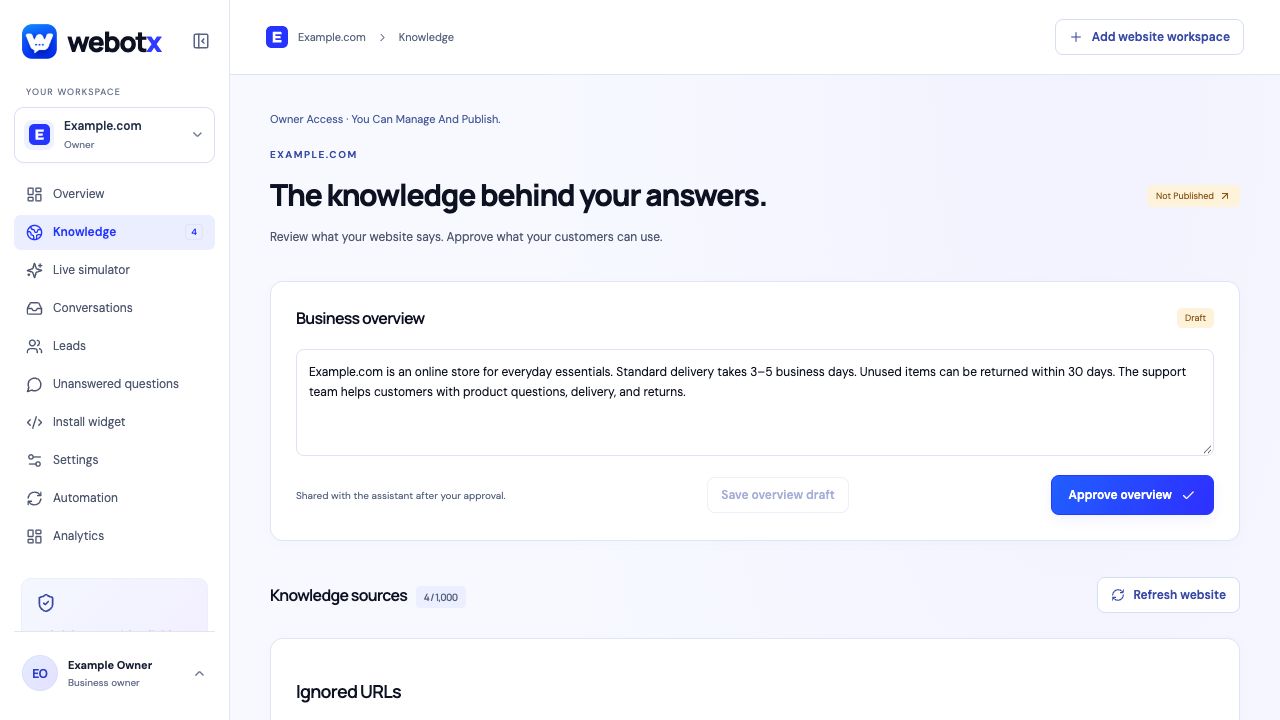
In Knowledge, read the page summaries and business overview. Edit incorrect details, include the pages that should answer visitors, and exclude irrelevant material. Approving the overview and at least one page is required to publish.
Approval applies to the reviewed version. A later draft edit does not silently replace your approved knowledge. Approve the revised content when it is ready, or withdraw approval when the existing information should no longer be used.
 View full size
Turn unanswered questions into knowledge
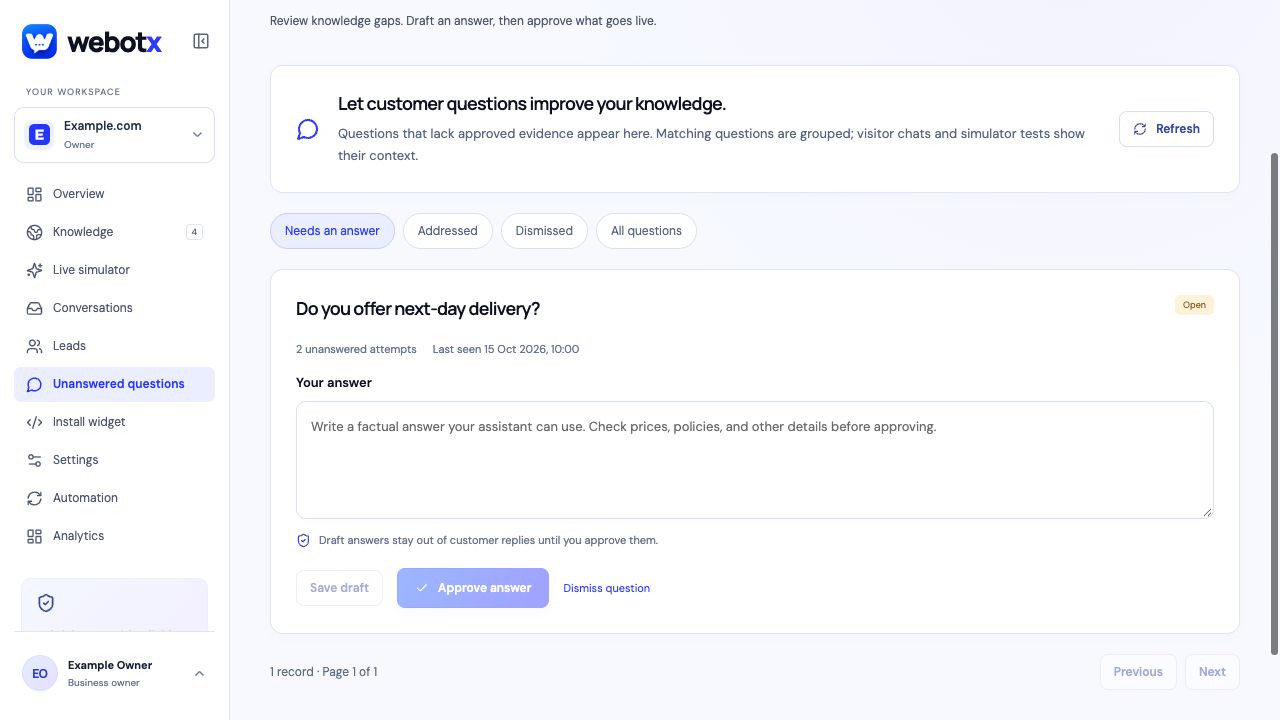
The Unanswered questions view groups questions that lacked approved evidence, including questions from visitors and simulator tests. Review the conversation context, write a factual answer, and save it as a draft or approve it when ready.
Saving a draft alone does not make it available for customer replies. Requests for a person are handled in Conversations.
 View full size
Keep the assistant current
Review your knowledge when prices, policies, services, or opening hours change. After new content is captured, check and approve the updated information, then repeat relevant questions in Live simulator.
Document and refresh allowances depend on membership. Check the dashboard for the features available to your workspace.