
Conversations and leads
Review visitor questions, handle human handoff, and follow up on enquiries.
Screenshots use fictional Example.com workspaces and sample content. Your content and plan may differ.Read the visitor inbox
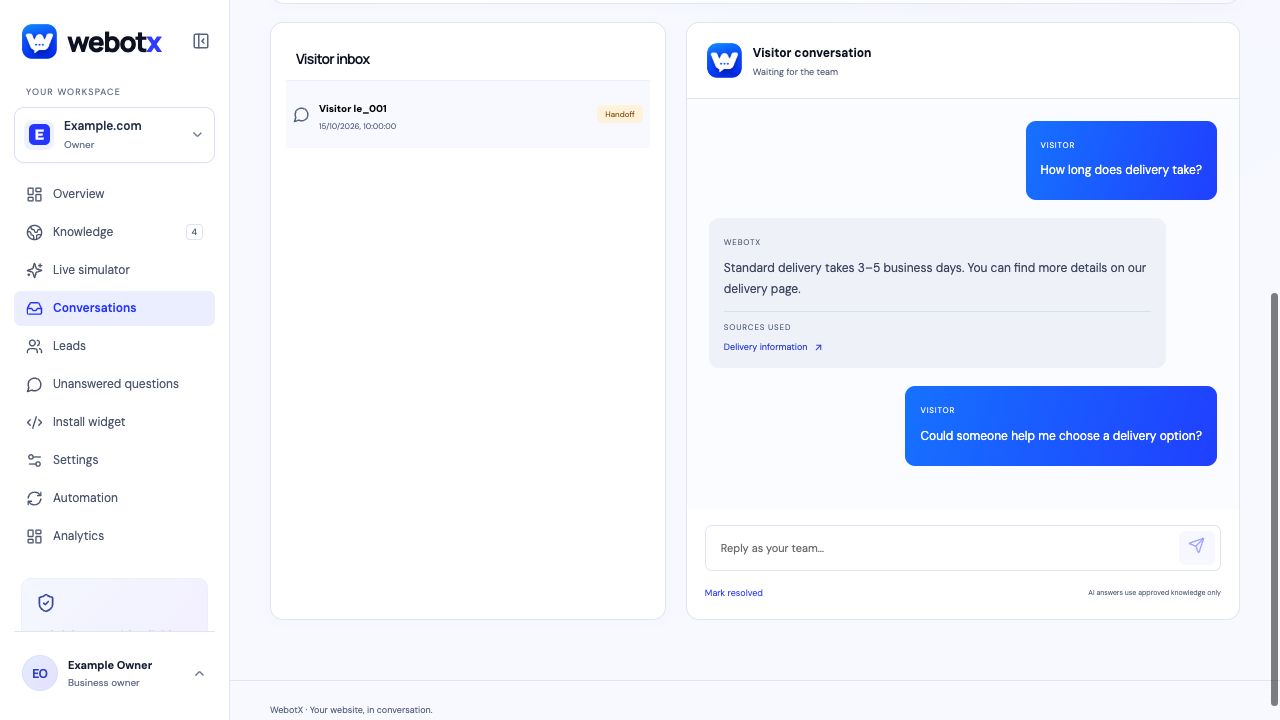
Open Conversations for the selected website to read visitor messages, assistant responses, and staff replies. Select a conversation to see its history and status.
Use the available filters to find conversations needing handoff, unassigned conversations, or resolved conversations. Your access depends on your workspace role.
 View full size
Take over when a person is needed
Visitors can select Ask for a person in the widget. The assistant can also hand off when it cannot answer from approved evidence. A handoff means your team needs to review the conversation; it does not promise an immediate staff reply.
Read the context before replying from the dashboard. Resolve the conversation after handling the enquiry. A resolved conversation stops accepting visitor messages.
Collect details for follow-up
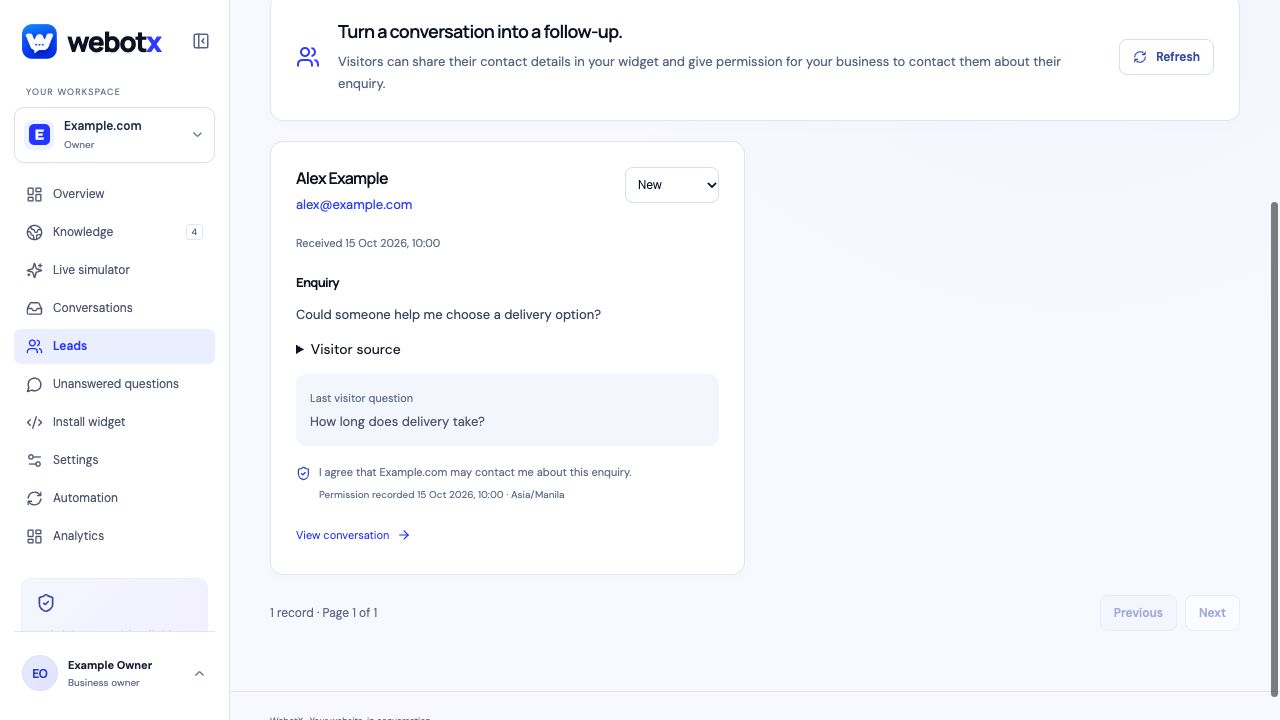
The widget supports follow-up requests and configurable contact collection. Visitors provide an email address or phone number and agree that the business may contact them about their enquiry.
Review submitted contact details and the associated enquiry in Leads. Follow up using the information the visitor shared. Available lead-collection options and integrations depend on your workspace membership and configuration.
 View full size
Use conversations to improve answers
Look for recurring questions, unclear replies, and missing sources. Add or correct knowledge, approve the change, and test the question again in Live simulator. Use Unanswered questions to review gaps in approved evidence.