
Start with the questions your website can answer
List the repeated questions your team receives about services, delivery, opening hours, returns, or how to get started. Choose a small set with clear, published answers for the first launch. A useful support assistant needs a reliable source for the answer and a clear next step when the source is insufficient.
Separate general policy questions from personal account requests. An assistant can explain a published cancellation policy without having access to a visitor's subscription. A specific refund decision or private account change belongs with the people and systems authorised to handle it.
Prepare approved support knowledge
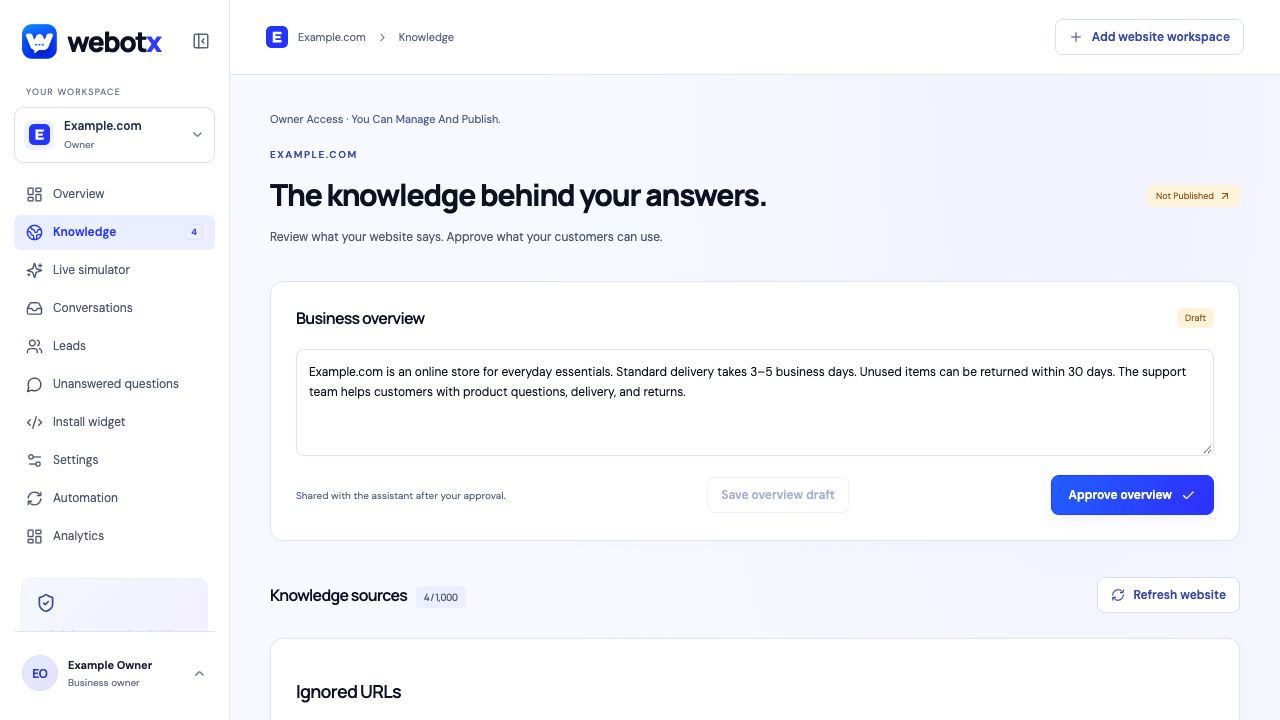
Capture your public support pages in WebotX and review the drafted business overview and page summaries. Correct dates, prices, exceptions, and contact instructions before approving them. Exclude information that should not guide customer answers, such as a discontinued service or an outdated campaign.
Check important answers in Live simulator. Ask the same question in more than one way and follow the source links. Include a question whose answer is absent from your website so you can inspect how the assistant handles the gap. A successful test is an answer supported by the approved source, not simply a fluent response.
 View full size
Build a practical support test set
These are illustrative test prompts. Replace them with your own policies and check the answers against the sources you actually approve.
| Visitor question | Source to prepare | What to verify |
|---|---|---|
| What are your opening hours? | Current contact or location page | The hours and any published exceptions match the source. |
| Can I return an item after opening it? | Returns policy with conditions | The answer preserves exceptions instead of promising a return. |
| Can you change my account details? | Public support contact instructions | The conversation reaches a person for private account work. |
| Do you offer a service not listed here? | No approved answer | The assistant handles the knowledge gap without making a commitment. |
Give human handoff an owner
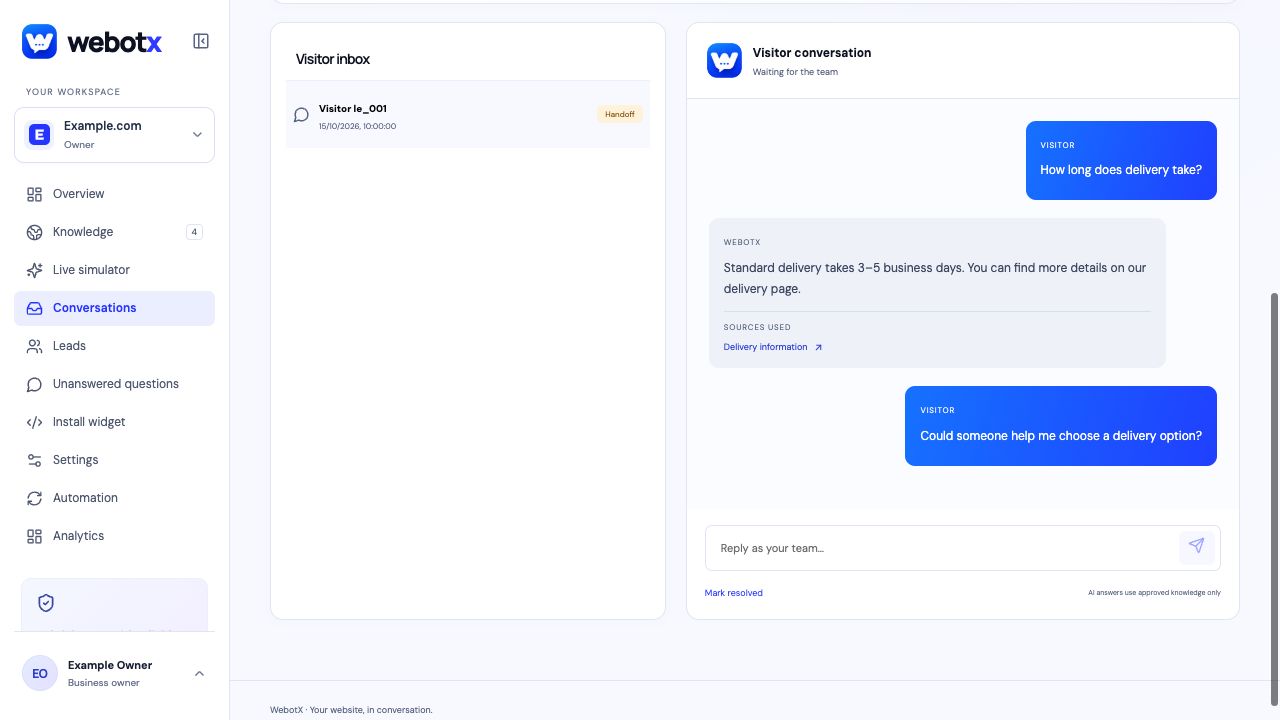
Visitors can ask for a person in the widget. Your team can read the earlier messages, respond with context, and resolve the conversation when the enquiry is handled. Decide who reviews handoffs and when before putting the launcher on your website.
A handoff does not promise an immediate staff response. Set expectations in your greeting and support process. Resolve a thread after the issue is handled, remembering that a resolved conversation stops accepting visitor messages.
 View full size
Review support gaps after launch
Read real conversations for unclear replies and recurring questions. Use Unanswered questions to prepare factual answers, review them, and approve the changes that should become customer-facing knowledge. Retest the original question after making a correction.
When your support policies change, review refreshed drafts and approve the new version deliberately. Monitor the account's AI allowance as you expand the assistant: website analysis and answer generation both use tokens, so an allowance does not translate into a fixed number of conversations.
- Assign someone to review handoffs and unanswered questions.
- Retest the questions affected by each policy change.
- Check sources and follow-up quality alongside the number of chats.
Customer support: common questions
What should a customer support chatbot answer?
Start with common questions supported by approved public information, such as opening hours, service details, shipping policies, and contact instructions. Route private account work and decisions that require a person to your team.
Can visitors request a human agent?
Yes. Visitors can ask for a person, and the assistant can hand off when approved evidence is missing. Your team reviews the conversation and replies from the dashboard; handoff does not guarantee an immediate reply.
How do I improve incorrect or incomplete answers?
Review the approved source version, correct or add factual knowledge, approve the change, and retest the question in Live simulator. Use conversation history and Unanswered questions to find recurring gaps.